S-57 Composer
S-57 Production Made Simple
S-57 Composer is a next-generation desktop application for the production of electronic navigational products, including Electronic Navigational Charts (ENC), Additional Military Layers (AML), and Inland ENC (IENC).
With S-57 Composer, desktop users have access to the same robust object creation and editing tools that exist in HPD. The successor to the long-trusted CARIS HOM ENC and HOM AML products, S-57 Composer delivers a highly intuitive workflow for creation of any official or customized product.
S-57 Composer is the most modern and widely used application on the market for desktop electronic chart production. In support of the new S-100 data standard, users can now create S-100 products in S-57 Composer with an optional upgrade. Users can gain familiarity with the new complex and multiplicity attribute types, work with information types, assign S-100 portrayal to features, convert ENC and DNC to S-101 and work with the expanding registry of S-100 product specifications.
Core Features
Production with confidence
Built on decades of domain experience, this user-friendly application allows new and experienced users to create S-57 products efficiently, and with the confidence that IHO, and other international and national, requirements can be met.
Create, manage and update products with proven CARIS tools ensuring the production of compliant products, and the ability to import and edit geospatial features. Automatic tools for SCAMIN values in accordance with the S-57 UOC standard, and feature relations/grouping capabilities are included. The included validation tools include IHO S-58 tests ensuring data compliance during production, before export to New Edition or Update Exchange Sets, which include support for S-63 folder structure.
S-57 native
S-57 Composer is built for S-57 production. Support included for:
- ENC 3.1 (3.1.1, 3.1.2 & 3.1.3)
- AML (1.0, 2.1 & 3.0)
- IENC (2.1, 2.2, 2.3 and 2.4)
- HD ENC
- Bathy ENC
- Marine Information Overlays (MIO)
- Specialized charts such as Pilot Charts
- Custom products
Upgradable
Can be upgraded to S-100 production, maintaining both S-57 production and S-100 production capabilities, including data migration from S-57 to S-101.
Optional migration from the desktop environment to CARIS HPD suite.
Feature Highlights
Here are the top new features in the latest release of S-57 Composer
JUL 3, 2019
S-100 Production
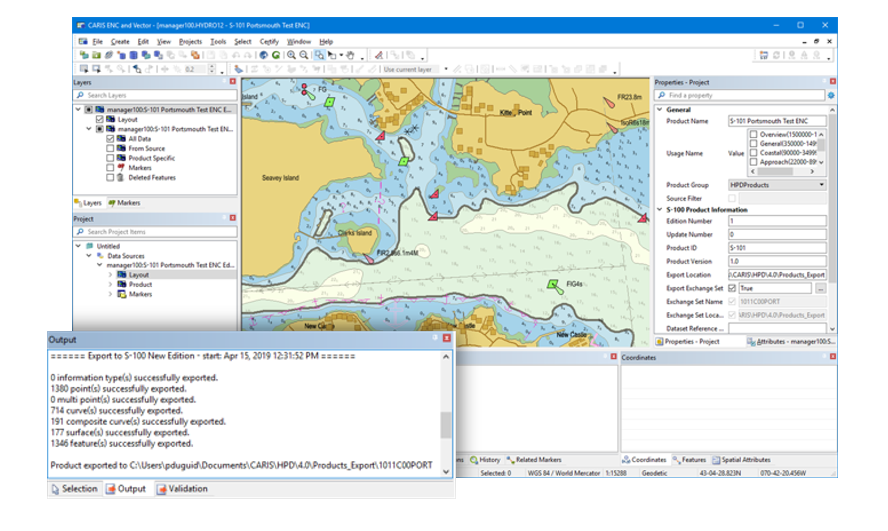
Support for the S-100 data model including new object types and complex attributes is now available in S-57 Composer through the new optional S-100 Module that will upgrade S-57 Composer to S-100, maintain both S-57 production and S-100 production capabilities. Interoperability between S-57 and S-100 is provided by user-customizable mapping files that can automatically convert features between S-57 and S-100 product data models. S-100 datasets, including S-101 datasets, can be created, updated and exported to create S-100 Exchange Sets, including S-101 ENC Exchange Sets.
IHO S-58 Edition 7 Validation
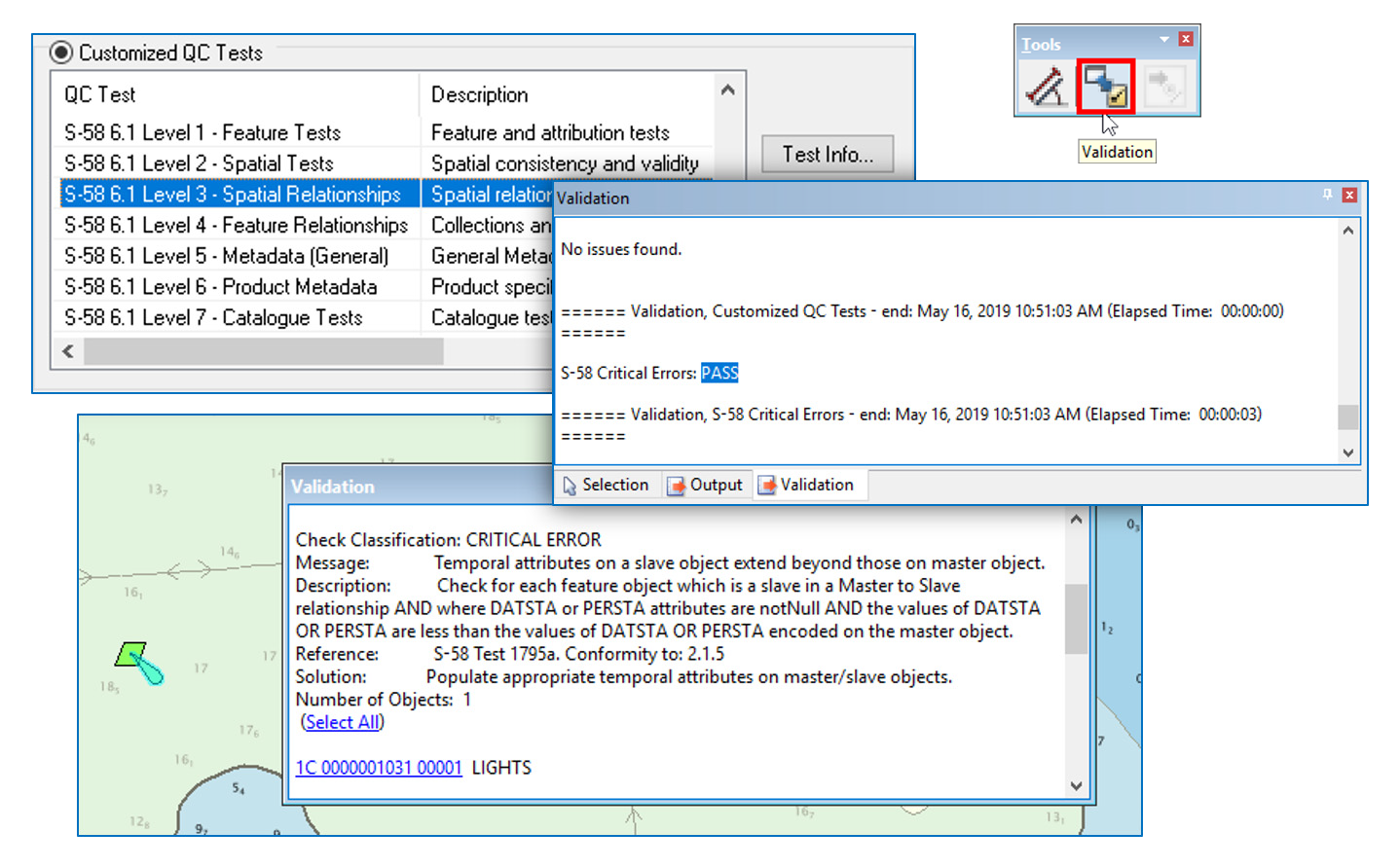
Validation tools for S-57 ENC Production have been upgraded to support the latest IHO S-58 Edition 7 ENC Validation Standard. This allows producers to be assured that their ENC products pass the new Minimum ENC Validation Checks directly increasing the confidence, reliability and consistency that mariners can place in these products.
Bathymetry Processing Tools
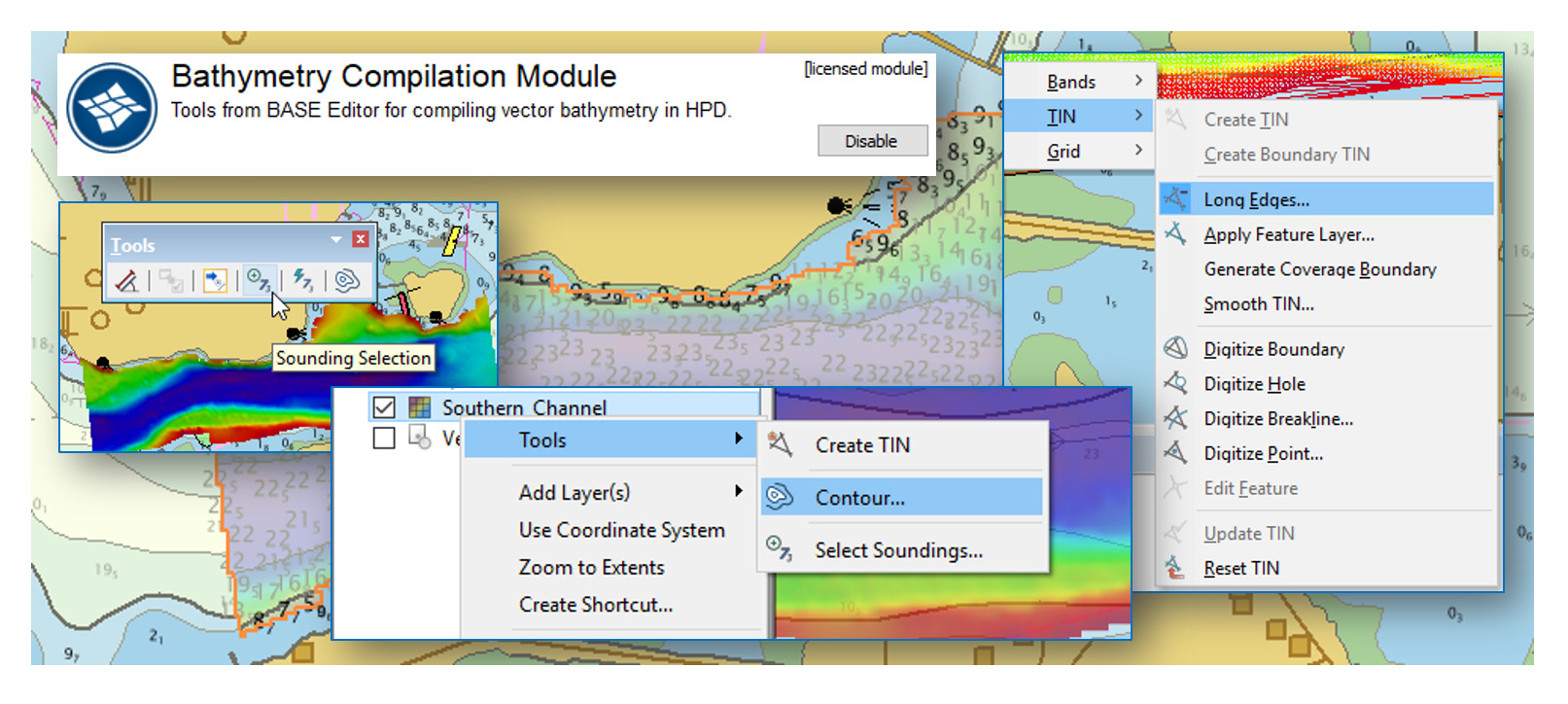
BASE Editor's industry leading bathymetry compilation toolkit is now accessible from within S-57 Composer. New optional add-on licensed modules for BDB Server Connection and Bathymetry Compilation provide users with access to features and coverages stored in a BDB Server database as well as a subset of tools from BASE Editor to support vector bathymetric feature compilation. It includes the ability to generate and process safe side contours, perform sounding selections, smooth bands and more.
Managing Temporary Features
New functionality has been added to support temporary and preliminary Notices to Mariner-type changes in ENC production. These features support changes such as temporarily repositioning a navigation buoy, or cases when a light is temporarily extinguished. Any ENC product created and exported within these dates will show the feature with its temporarily updated information.
New Licensing Technology
S-57 Composer is incorporating new licensing technology. This upgraded licensing is softkey based, so no physical dongles are required; a license Entitlement will be created for software activation.
Key benefits of this new technology include:
- Convenient and easy softkey activation
- The elimination of physical hardware removes the possibility of damage or loss
- No more need of a separate licensing tool
- Faster software purchase and setup
- Improved license usage transparency for network license users
For more information about the new licensing technology contact Customer Service, or visit License FAQ.
To view a full list of enhancements available visit the S-57 Composer What's New page.
Complementary Products
Technical Specifications
| S-57 Composer | |
|---|---|
| Component | Recommended |
| Processor | Recent generation multi-core CPU |
| Memory | 16 GB of RAM |
| Storage | 7200 RPM disk drive or solid-state drive, minimum 1 GB available for installation |
| Display | NVidia or AMD display adapter, with an OpenGL 3.3 compatible GPU and 2GB of memory or greater |
| Operating System | Windows 10 Professional 64-bit, or Windows 11 Professional 64-bit |